Your number, your Meta account
In Settings → WhatsApp, a setup guide walks you through connecting your clinic's own WhatsApp Business number. Reminders then go out from that number, so clients see a name they already know. Meta bills your clinic directly for WhatsApp messages under your own account.
VetLum sends reminders and updates. It is not a chat inbox.
Which reminders can go by WhatsApp
- Appointment reminders
- Vaccine and care due reminders
- Overdue care reminders
- Follow-up recalls
- A welcome message for new clients
WhatsApp only allows business-initiated messages that use a template Meta has approved. For each kind of reminder you choose an approved template in English and, if you like, one in Arabic, and VetLum fills in details such as the client's first name, pet's name, date, time and clinic phone.
Care reminders that create themselves
In Settings → Reminder protocols, link a catalog item, for example a rabies booster, to an interval, the species it applies to and how to send it. When that item is recorded for a pet, the reminder is created automatically, and it goes out when it is due.
Consent first
WhatsApp is only used for clients who agreed to it, recorded on the client's page. Marketing messages only go to clients who agreed to receive them. Reminder messages carry contact basics, the pet's name and the reminder type, never clinical details.
Messaging a group of clients
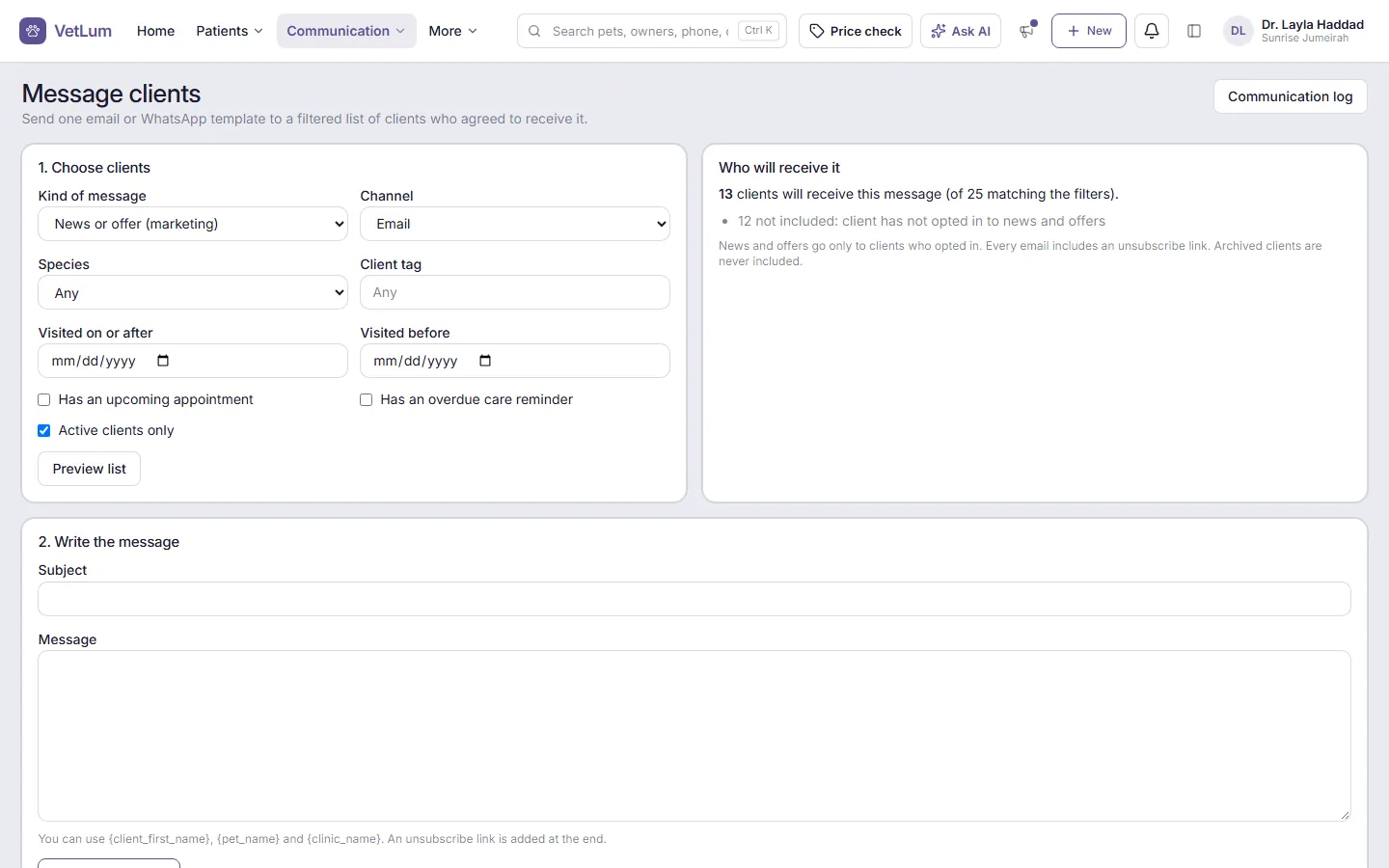
Under Communication → Message clients, filter by species, client tag or last visit, check who will receive the message, then send by email or by an approved WhatsApp template. Every message appears in the client's communication log.
Email works alongside
Connect your clinic's own email account in Settings → Email, for example Google Workspace, Microsoft 365 or Zoho, so invoices, visit summaries and reminders reach clients from your address, not ours. Booking confirmations and other automatic messages stay off until you switch them on. To see how messaging fits the rest of the day, read about VetLum for veterinary clinics in the UAE.