Tax invoices straight from the visit
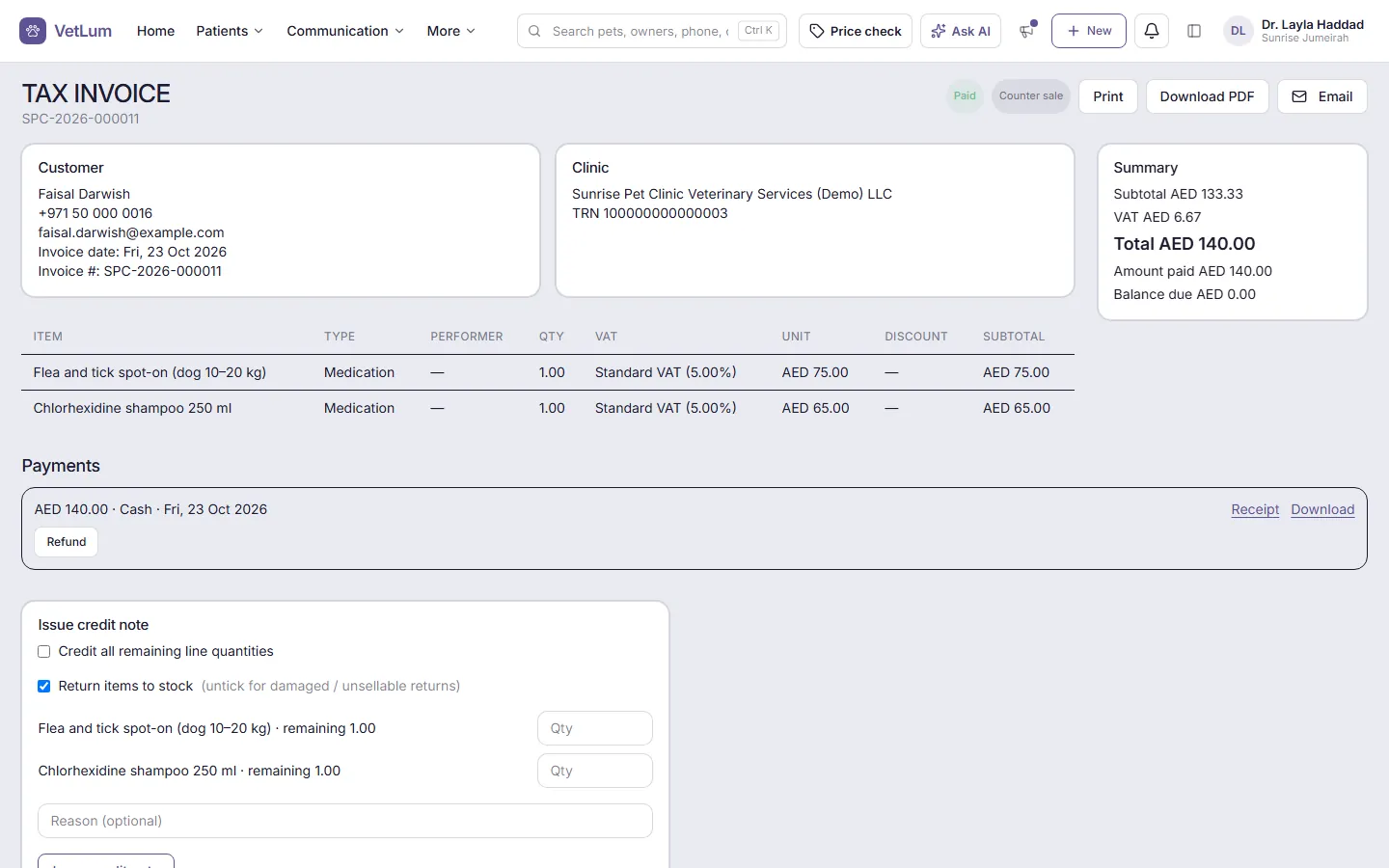
Charges added during a visit appear on that visit's draft invoice, so reception checks the lines and discounts instead of typing them again. When your clinic is VAT registered, the button reads Issue Tax Invoice and the invoice shows your TRN and the VAT on each line. If you are not registered, you issue a normal invoice.
Issued invoices are never edited. To correct one, you issue a credit note, or void it with a reason. Invoices can be printed, downloaded as PDF or emailed from your clinic's own email address.
Set up VAT once
In Settings → Billing & tax, tick VAT registered, enter your 15-digit TRN and check the seller details, invoice prefix and the bank details clients see. Named VAT rates live under Tax rates, and each product or service carries its VAT treatment. When you import your price list, the VAT treatment and rate can come in with it.
Business and government clients
Tick Business client (company / government) on the client's form and enter the legal name and, if they have one, their TRN. Their invoices then show the buyer's legal name and TRN, which is what e-invoicing needs.
E-invoicing: what VetLum does, and what it doesn't
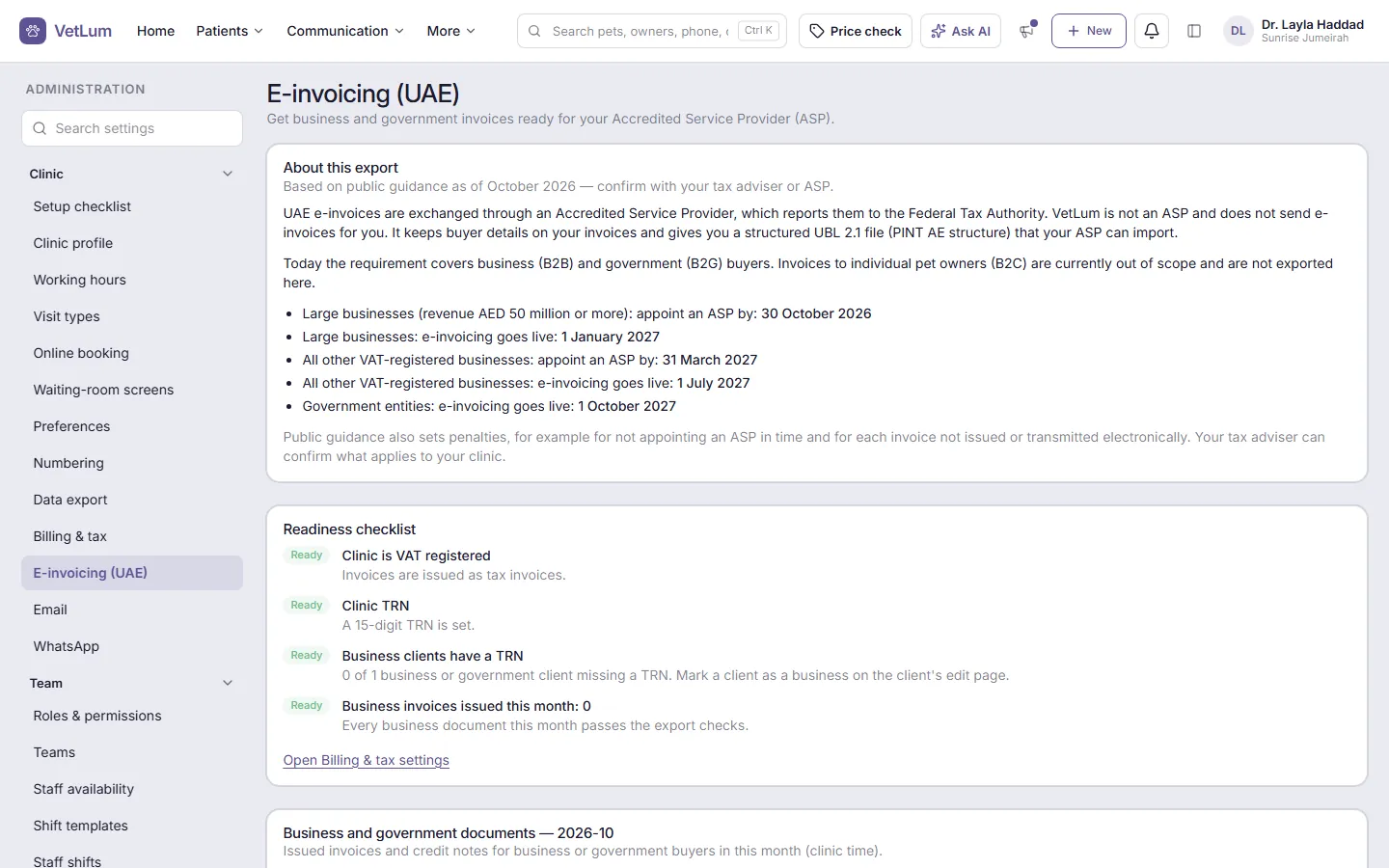
Under the UAE's e-invoicing model, invoices are exchanged in a structured format through accredited service providers (ASPs). VetLum gives you Download e-invoice XML on every invoice and credit note, in the PINT AE structure. Settings → E-invoicing (UAE) has a readiness checklist, a monthly export and a place to record each document's status.
VetLum is not an ASP and does not send e-invoices to the tax authority for you. Your ASP does that. Your tax adviser or ASP confirms which of your invoices are in scope and from when.
Payments, deposits and refunds
- Record cash, card, bank transfer or other payments against an invoice
- Take a deposit when you book and apply it to the visit's invoice
- Credit notes, product returns that put stock back, and refunds
- Estimates clients can sign, then convert to an invoice
- Counter sales without a visit, and client account statements
Numbers your accountant can use
The Sales report shows totals for sales, credits and VAT. Reports and lists export to CSV, and many to PDF, and a clinic owner can download a full export of the clinic's data at any time. To see the rest of the clinic day, read about VetLum for UAE veterinary clinics.